Settings for moon shot?

Messages
1,145
Name
Chris
Edit My Images
Yes
Hi, i'm new to slr's and i'm struggling getting a good moon shot? I've got a sony alpha a100 with a 70-210 4.5-5.6 lens. I know i'm not going to get an amazing shot with this lens but surely i must be able to get better shots than the ones i've taken? I've got a sony 300mm lens on its way so i'm hoping its going to be slightly better. What setting do i need to be starting at? My shots dont seem to be coming out very clear nor bright? Any help would be much appreciated.
 
Try manual exposure, f/8, 1/200, 100 ISO. Use a sturdy tripod and a timer release or remote release. If your camera has mirror lockup then use that as well. You may find that focusing manually works better than AF, especially if you have a Live View facility. I'm afraid I'm not familiar with Sonys so I don't know exactly what options you have.

If it is a bit dark then bump up the ISO, but only use whole stop increments - 100, 200, 400 etc., not the intermediate ones. If it's too bright then slightly increase the shutter speed. Shoot raw for ultimate image quality and to fine tune sharpening, contrast etc. after you take the shot.
 
I would say that you need to have a play with your settings on manual. If you have aperture set at about F7 and ISO at 200 or so, just see what happens from there. If the moon is a bright blob, then make your shutter speed quicker.

Try to use a tripod as this will help if you do need longer exposures. There's some god moon pics on here. Look at those settings, then have a play from there.

Hope that helps.
 
i would recomend starting at f8 shutter speed 100 sec, see how it looks, then have a play with iso.

key thing is to get it on a tripod. bare in mind to get a decent sized moon you will need a lot of pc zooming, which will magnify the slightest wobble
 
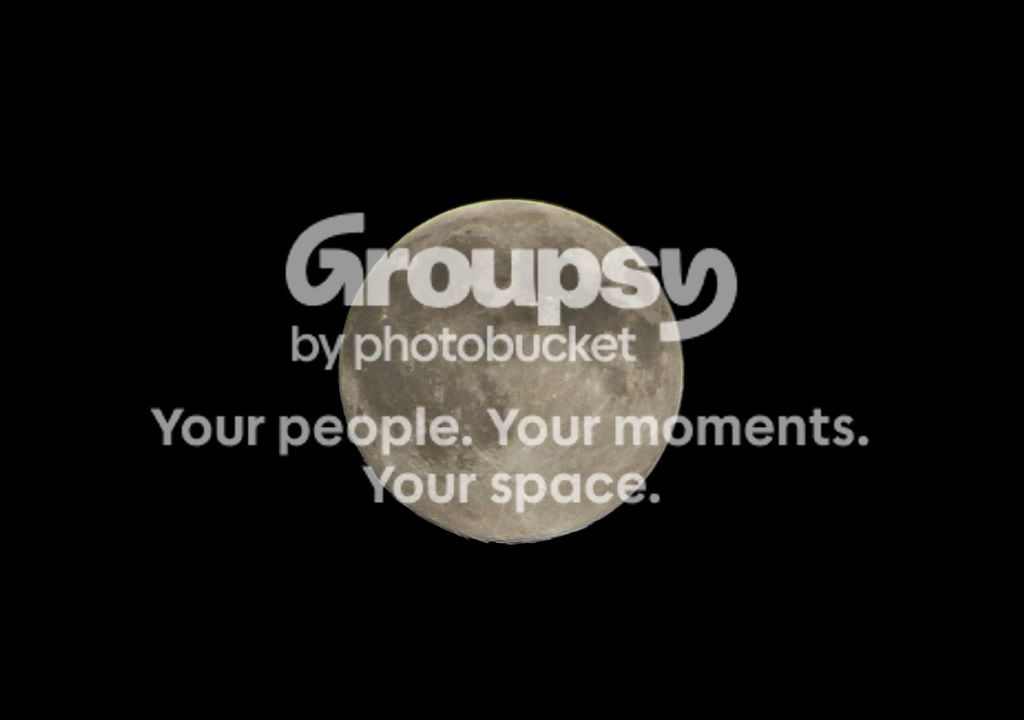
First try. Taken at 1/160 f8 iso100 210mm.

It just doesnt look very sharp? I'm using a tripod but not a remote shutter release. My camera has a 'super steady shot' button. I'm sure i heard somewhere that when using a tripod its advised to switch this off, am i correct in thinking this??

DSC03797.jpg
 
First try. Taken at 1/160 f8 iso100 210mm.

It just doesnt look very sharp? I'm using a tripod but not a remote shutter release. My camera has a 'super steady shot' button. I'm sure i heard somewhere that when using a tripod its advised to switch this off, am i correct in thinking this??

Hi, sorry I don't know your camera either but if you don't have a remote then use the self timer, actually the image looks to have decent exposure and even looks fairly sharp :clap: why not try to crop in a bit closer so we can see the moon larger :thinking: also don't forget the atmosphere has a big effect on sharpness and there's not much you can do about that :D
 
My camera has a 'super steady shot' button. I'm sure i heard somewhere that when using a tripod its advised to switch this off, am i correct in thinking this??

SSS is the Sony sensor shift tech for combating camera shake. If you have a rock solid tripod it's best to have off but if it's a bit wobbly I'd leave it on.
 
For the near full moon tonight, I've been using f5.6 1/250 iso100 handheld at 250mm (spot metering on the centre AF point seems to do a pretty good job). Take at least half a dozen, and pick the best, this gives you a chance of getting a shot through stiller atmosphere. Then you get out the cropping shears... Shoot in RAW and don't forget to sharpen the image as the camera won't do anything with it. I shall post up my moon shots shortly, just finishing them off.
 
For the near full moon tonight, I've been using f5.6 1/250 iso100 handheld at 250mm (spot metering on the centre AF point seems to do a pretty good job). Take at least half a dozen, and pick the best, this gives you a chance of getting a shot through stiller atmosphere. Then you get out the cropping shears... Shoot in RAW and don't forget to sharpen the image as the camera won't do anything with it. I shall post up my moon shots shortly, just finishing them off.

Yes that'd be great, cheers John.
 
You can find them here. hope you like them.
 
better than mine i came home last night to a clear moon

set up the tripod then after a few shots battery empty

had real troble focussing

E.jpg


DSC_3831E.jpg


EEEEEEE.jpg
 
Trouble focusing? I use auto focus on mine :eek: Seems to work!

I would personally increase the shutter speed so that it is a bit darker - That helps bring out the detail. Or you could try a bracketed exposure shot and see if HDR works?
 
You may get more interesting pictures when the moon is less than full. As the sun shines across the surface of the moon at an angle it shows more detail on the surface.
 
It makes quite a difference with how much cloud, mist or pollution is in the atmosphere with how sharp it looks as well.
 
Last nights seeing (atmospheric disturbance due to wind, the jetstream, heat eddies etc) was bad, there are scales for estimating this, but I'm not really familiar with them. If you can get the magnification high enough, you will be able to see the moon shimmy around like a plate of jelly. Thus my suggestion of shooting at least half a dozen. The webcam on a scope works very well for this (when you don't muck up the capture settings that is) as the high number of frames that can be captured can be combined to minimise this effect.
 
Cheers for the info everyone and cheers for uploading the moon pics John, they look great. What software does everyone used to adjust their pictures?
 
Mine were only adjusted in LR. I have PSE with a curves filter addin and Gimp also.
 
Haven't cropped this too hard, but took this earlier using these settings manual, using a 400d + 55-250 IS handheld:
Exposure: 0.006 sec (1/160)
Aperture: f/8
Focal Length: 250 mm
ISO Speed: 100

3025673086_c5529408a7.jpg
 
P.S. Full moon is tomorrow night I believe.
 
You may get more interesting pictures when the moon is less than full. As the sun shines across the surface of the moon at an angle it shows more detail on the surface.

+1. Absolutely. You need side lighting to create shadow detail and contrast, just as with many aspects of photography. Then you see the craters with the shadows cast within them and behind them. Full moon = flat lighting = boring, but no harm practicing though :)
 
Tried a second attempt tonight with my new lens. ALOT better than my first attempt i think. Also got LR2 & PSE earlier, just need to get to grips with them now to start making the pics abit better.

F/8.0
1/200
iso 100
300mm

DSC03874.jpg
 
My missus had a go tonight with her S3 and 300mm sigma, Its not as tighly cropped as yours but with some work it should come out good
moontoday.jpg
 
My effort tonight - 50D + 100-400 @ 400mm f/8, + Kenko 1.4X teleconverter, making it 560mm and f/11. 200 ISO, 1/320. A bit of fiddling in Lightroom to try and boost contrast/sharpness but, like I said earlier, the light is really poor if you want to see details. Notice how the only hint of relief is on the bottom and bottom left hand edge. Everywhere else is just flat and boring.

This is a tight crop (obviously :) ) resized to 50%.

20081112_222137_1407_LR-3.jpg
 
impressive mate. I've got a tele-converter being delivered in the morning which should help me out even more.
 
Tried a second attempt tonight with my new lens. ALOT better than my first attempt i think. Also got LR2 & PSE earlier, just need to get to grips with them now to start making the pics abit better.

F/8.0
1/200
iso 100
300mm

Nothing wrong with that shot at all :thumbs: TBH most astro shots are made better by how good is the 'seeing' rather than camera settings a good guide is that if you can see the stars twinkling then you'll struggle to get a sharp image from a single shot :) , like I said that's a good shot :clap:
 
moonxxx.jpg


redmoon.jpg


The last shot was that colour due to atmospheric conditions not any editing.

Cheap Optika lens with X2 mag adapter 2600mm (no editing magnification to enlarge) only to sharpen a wee bit on first picture
 
Back
Top