- Messages
- 7,762
- Name
- Lee
- Edit My Images
- Yes
I'm not even sure what I'm supposed to have missed 




I missed all the fun too!
Anyway… I’m looking to buy a 1:1 macro lens for my A6700; short list is the Sony 90mm, Tamron 90mm or Sigma 105. Anybody have any thoughts or any other options I should consider?
Thanks in advance!
Thanks - yes it’s mainly for bugs so working distance is important (and I do use auto focus a lot of the time so would need that too). If there was a Sony version of the sigma 150 that would be appealing…I think a lot depends on what you are taking pictures of. If it's insects and the like I think a longer lens is an advantage as you can increase the camera to subject distance and reduce the risk of frightening things off. Perspective can come into it too depending on your subject. I always liked the Sigma 150mm f2.8 macro I had for my canon DSLR's for flower shots but you'll be past 150mm equivalent with some lenses on APS-C. These days I just have an old film era 50mm Sigma and I do miss the perspective of the longer lens.
 If the camera to subject distance is long enough you might not need a macro, a conventional zoom or prime might do it, if you don't need a macro with its close focus ability.
I was always very happy with the Sigma 105mm but that was on Nikon DSLR, I’ve not used macro on Sony.I missed all the fun too!
Anyway… I’m looking to buy a 1:1 macro lens for my A6700; short list is the Sony 90mm, Tamron 90mm or Sigma 105. Anybody have any thoughts or any other options I should consider?
Thanks in advance!
It’s a good suggestion - I had thought of trying the Tamron 50-400 for macro (as well as birds) but I’m not sure it’d get me close enoughJust one other thought just in case you haven't thought of it
It was worth the effortYet another Spring image with a vintage lens - manual focusing with the A7Cii on a windy day is not easy:-


I think it’s in pole position - thanksI was always very happy with the Sigma 105mm but that was on Nikon DSLR, I’ve not used macro on Sony.


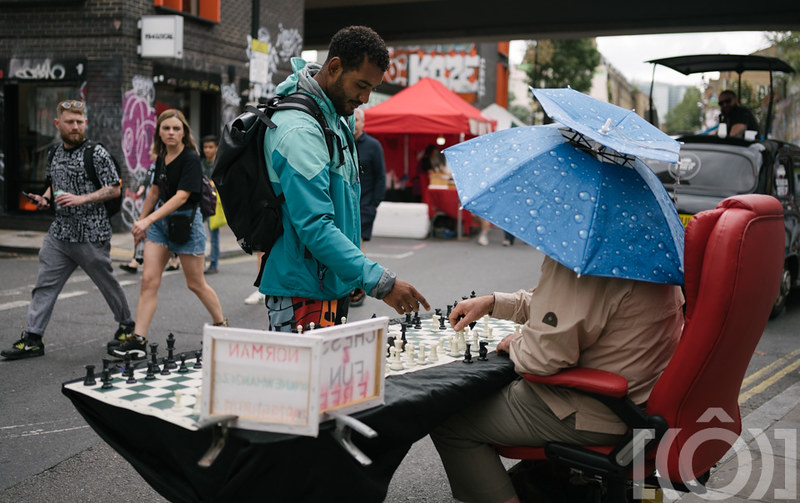 brithdayStreetPhotpgraphy-94.jpg by Jon Richy, on Flickr
 brithdayStreetPhotpgraphy-114.jpg by Jon Richy, on Flickr
 brithdayStreetPhotpgraphy-224.jpg by Jon Richy, on Flickr
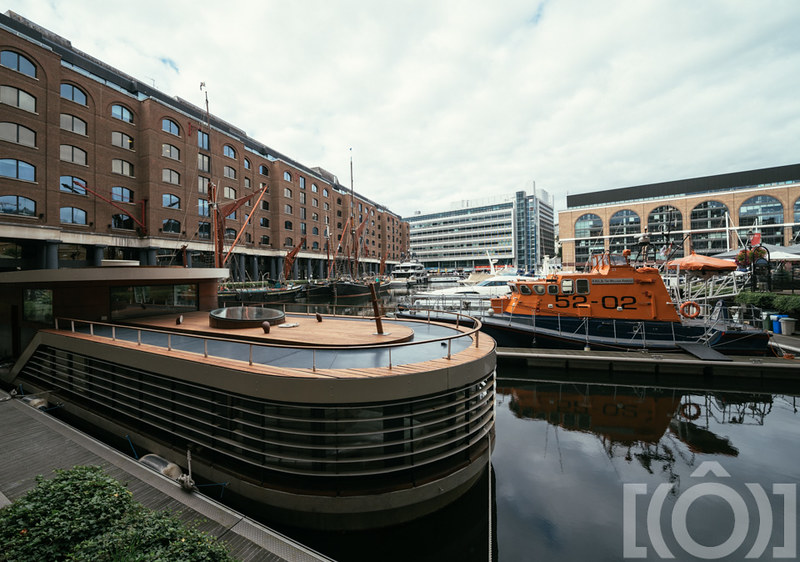 brithdayStreetPhotpgraphy-614.jpg by Jon Richy, on Flickr
 brithdayStreetPhotpgraphy-548.jpg by Jon Richy, on Flickr
Thanks - interesting suggestion!I use a Tamron sp90 macro plus LA-EA4 adapter. Seems decent enough and it's a nice lens for non-macro too.

 DSC01511.jpg by Keith, on Flickr
 DSC01509.jpg by Keith, on Flickr
 DSC01455.jpg by Keith, on Flickr
 DSC01587.jpg by Keith, on Flickr
Nice, I see you went with the 35. I was torn between a 35 and something longer to emphasise the sky more, ended up on the 50 as I’ve lent my 75 to a friend and the polariser fit the 50 easily.
I like how you have the early sun giving a bit more shape to tree too.
I did take the 85mm for the detail shots though and because, although I do love using it, I don't tend to use it enough.
That’s great to hear. Nice one PanamozOk so i dont know if i had said this here but during my ordeal with my camera, because my 3 year warranty was expired (like 7-8 months ago) i cpuld not recieve money from panamoz to cover the cost of repair, however they did say that they can send me £200 after the repair etc is done.
i thought to myself, sounds great but lets wait and see...
So reember just 50mins ago i posted i gopt my camera back? well i emailed panamoz literaly 20mins ago asking if they would still honour the £200 payment and they have and they sent it to me!!!
wow just wow, You dont get this type of customer service from actual UK suppliers!
Wow, that's what you call above and beyondOk so i dont know if i had said this here but during my ordeal with my camera, because my 3 year warranty was expired (like 7-8 months ago) i cpuld not recieve money from panamoz to cover the cost of repair, however they did say that they can send me £200 after the repair etc is done.
i thought to myself, sounds great but lets wait and see...
So reember just 50mins ago i posted i gopt my camera back? well i emailed panamoz literaly 20mins ago asking if they would still honour the £200 payment and they have and they sent it to me!!!
wow just wow, You dont get this type of customer service from actual UK suppliers!


In terms of Sony there's only the A6xxx series in crop body, unless you want a more dedicated video camera. Are you lenses crop or full frame?Morning all, my daughter has outgrown her Canon 100d with kit lens and she would like to change her camera, we're looking at getting her a second hand Sony of some description so that she can share my lenses.
Current thoughts are the Sony A6400 (bigger battery, better processor and AF over the A6300) seems to be optimal spec verses price for her, have I missed any other options around the £600 price mark?
I'm on full frame, A7IV with 20 f1.8G, 35 f1.8, 85 f1.8 and I'm going to add a Sigma 150-600 Sport before the cashback finishes.In terms of Sony there's only the A6xxx series in crop body, unless you want a more dedicated video camera. Are you lenses crop or full frame?
I'm wondering then if it will be worth her looking for a full frame camera too otherwise your lenses will have a different effective focal length when used on a crop body.I'm on full frame, A7IV with 20 f1.8G, 35 f1.8, 85 f1.8 and I'm going to add a Sigma 150-600 Sport before the cashback finishes.
It'll be stills only for her.
Worth noting that the A6400 still has the smaller battery. The A6600 and A6700 both use the same NP-FZ100 as in your A7iv.Morning all, my daughter has outgrown her Canon 100d with kit lens and she would like to change her camera, we're looking at getting her a second hand Sony of some description so that she can share my lenses.
Current thoughts are the Sony A6400 (bigger battery, better processor and AF over the A6300) seems to be optimal spec verses price for her, have I missed any other options around the £600 price mark?
I'm on full frame, A7IV with 20 f1.8G, 35 f1.8, 85 f1.8 and I'm going to add a Sigma 150-600 Sport before the cashback finishes.
It'll be stills only for her.
I don't believe this is true either, why should the A7III behave differently to every other body? I'd be questioning whether they have understood your question properly.Can anyone with an A7III please check something for me????
Mine is saving pictures taken over a period of days in separate folders even if I change the menu option to "standard" rather than date. Can someone with an A7III please give this a go and let me know what happens. You obviously don't have to take a picture today and then wait until tomorrow to take another, all you need to do is take a picture and then go into the menu and advance the date and then take another picture.
I wrote to Sony and they gave me a list of things to try, none of which worked. So, I wrote to them again and I've just received the following reply...
"Thank you for your patience.
With reference to your enquiry regarding your Sony ILCE-7M3, after reviewing the case with our relevant team, we can confirm that this is within specifications and it is not an issue.
Should you have any further questions, please feel free to reply to this email.
Thank you for your enquiry.
Yours sincerely,
Dina"
I don't believe them but if anyone can check this before I write back I'd appreciate it.
PS.
I've just tried my old A7 and it behaves as expected. In "date form" it saves each days pictures in separate folders and in "standard" it just saves everything into one folder, until it reaches the limit. A7III is stuck in "date form" no matter what option is set in the menu.
I don't believe this is true either, why should the A7III behave differently to every other body? I'd be questioning whether they have understood your question properly.
Is it on the latest software, if there's a newer one available maybe installing this would clear the glitch?
Is this something I could replicate on the A7riiia you think?
Doesn't matter if it's a little thing or not, if it's annoying it's annoying simple as that.It might only be a little thing but I find it annoying
Alan's issue is that it's saving photos taken on different days into different folders so whilst he has no issue accessing them he has to go into each individual folder to retreive themI'm have to double double check.
But I'm sure if I try to delete images in camera, it'll only do it individually or by 'day' rather than 'all'
But I know if I plug in and import through LR, I just click "camera" on the top left for source and it shows everything that is on the card.
I believe this was the first thing he triedTry this