- Messages
- 1,984
- Name
- Jamie
- Edit My Images
- Yes
Love the second one. Great timing
I can assure you, it was pure luck.

Edit: And just like that, we are on page 1934 - the year Fuji was established!
Last edited:


Love the second one. Great timing

 Market Stall Holder (1)-04011 by G.K.Jnr., on Flickr
I love it when that happens. Scrolling through (hitting delete), then all of a sudden you get a special oneI can assure you, it was pure luck.


I love it when that happens. Scrolling through (hitting delete), then all of a sudden you get a special one

 Willow at Broxhead by Trevor, on Flickr
 Shadow People by Nick Lowe, on Flickr

Yes, well X100V. I have "Expert Shield" screen protectors on all of my cameras.QQ, how many of you use a screen protector on your x100vi ?
Colour.Planning a large ish canvas of this. 100x50 roughly.
I want B&W but the OH wants colour.
What members on her think?
View: https://flic.kr/p/2q1PRiA
View: https://flic.kr/p/2rvmHuz
 Deep In Thought (2)-04012 by G.K.Jnr., on Flickr

 You Need Hands (1)-04015 by G.K.Jnr., on Flickr


Struggling to get decent quality photos to embed so have gone back to Flickr after about a decade.
Queensferry Forth Bridges by Dan Robertson, on Flickr
Queensferry Forth Bridges by Dan Robertson, on Flickr
Can never forget the joy of hearing the ice cream vanA candid street style Snap captured a bunch of people queuing for ice cream treats from a mobile outlet.
"Mr Whippy Time"
Mr Whippy Time-04016 by G.K.Jnr., on Flickr

I had an issue with them loading (it just showed boxes with a '?' inside), but it went away when I refreshed the page. Can you give any more information about what you're seeing?Unfortunately, your images are not loading for me
Can never forget the joy of hearing the ice cream van

Stunning captures !Struggling to get decent quality photos to embed so have gone back to Flickr after about a decade.
Queensferry Forth Bridges by Dan Robertson, on Flickr
Queensferry Forth Bridges by Dan Robertson, on Flickr


It's in the EXIF
 and it is the dafault "Matrix" mode (it's internally called by Fuji `Multi-segment') .. no changes here to settings or camera metering defaults .. I've demonstrated purposely on this shot because bright light shots are `less' underexposed but still massively underexposed compared to any other camera that I have (or have experience with)
Hello,
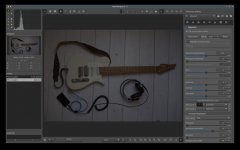
please see this shot, look on the exif ... it says +2/3EV and yet the raw clearly shows, that it's underexposed as hell ... I don't shoot with my x100f that often, returned from the vacation and started processing my images and I can see that literally all the images from vacation are crippled like this ... JPG is in-camera developed to look somehow OK but images under the hood (while checking the raw data) are basically all underexposed massively ...
what the f.....
thanks much and regards, ~dan
Do you have any other RAW processing software you could try just to rule out a bug or misconfiguration?

way-too-much aggressive



 GWE by Steve Jelly, on Flickr
 Lapwing by Steve Jelly, on Flickr
 Sandpiper by Steve Jelly, on Flickr
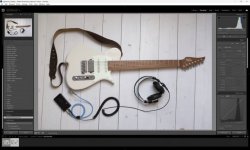
I have taken the trouble to download your images, and can find nothing wrong, I loaded both into Lightroom Classic and the histograms are virually identical (give a bit for the JPG profile)
Your RAW image in LRC - note I've not touched the sliders (so maybe @jimmyjamjojo had a point!) - nice toe BTW
View attachment 464659
 dragonfly by Steve Jelly, on Flickr
please read my question again .. I've even provided my photo - there's a link pointing to the zip file with both raw and jpeg (there's link, don't you see that ???) .. it contains out-of-camera-jpeg and raw-file (which contains raw-embedded-jpeg and full exif data) .. It has absolutely nothing to do with processing software ...
ok, perhaps you don't understand how metering and developing the photo works in the camera - camera applies a picture profile, wb-settings and additional settings (like for instance DR or noise reduction and/or other processing) and this is what you see in EVF (electronic viewfinder) with mirrorless cameras .. It even doesn't matter if you use A mode (aperture) or M mode (manual) because camera calculates the aperture and shows that in EVF or LV (live view) based on the profile tone curve and mentioned parameters unrelated to shooting mode. This is what you see as an out-of-camera-processed-jpeg or in-raw-file-embedded-jpeg .. then if you check the real raw data you'll find, that exposure in raw data after switching to neutral (flat) profile could differ a lot.
Maybe you perhaps noticed sometimes, that if you will look how cameras calculate exposure, that the tone S-curve heavily gravitates towards favouring mids, highlights and whites over the shadows and blacks - means that the S curve will have the majority of her volume (aka 90:10) above the diagonal line in histogram (shadows left, highlights right, black is at the bottom and white is at the top) and my fuji camera as I've demonstrated above and discussing here does this processing in way-too-much aggressive and unusual manner ..
 (joke but true) .. I was googling further and found this
 onecameraonelens.com

OK guys, mystery solved ... I don't blame you that you don't know how raw date Vs color profiles work
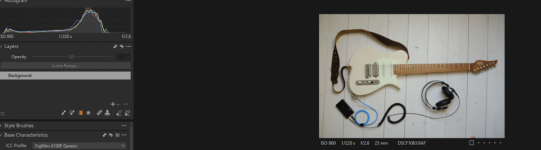
Fujifilm raw files and why they can look underexposed in Darktable
Many users of Darktable are Fujifilm camera users, and thankfully Fujifilm raw files work nicely with Darktable. However, I had some comments from Darktable users where they say that Fujifilm files…
and indeed .. I had there DR400 which is underexposing photos ... On Canon or Nikon cameras this feature works differently and it doesn't affect the RAW (ie notice here for example)
lesson taken, solution:
DR400 is severely damaging the raw data because Fuji camera underexpose with it images by 2 stops ... So if you're shooting to both RAW and JPEG make sure that your recipe (https://fujixweekly.com/fujifilm-x-trans-iii-recipes/) is not employing DR400 ...
I am shooting many years but I've never noticed this with any other camera .. as I said, I returned from vacation and found all shots taken crippled and damaged by underexposing ... this is just the real thing .. I've tested it now .. it's DR400 .. no need to look further .. this is just something that shall be avoided if you want to use RAWs as well

I also use the DR setting with Fuji and highlight weighted metering, which does something similar, in my Nikon nearly all the time.The DR function is to protect the highlights in very contrasty scenes. It shouldn't globally under expose, just drop the highlights. I think I've pretty much shot in DR Auto since getting my X100f and never had any full under exposure issues.