

You are using an out of date browser. It may not display this or other websites correctly.
You should upgrade or use an alternative browser.
You should upgrade or use an alternative browser.
tips on HDR
- Thread starter Greyhound
- Start date


simon ess
Just call me Roxanne.
- Messages
- 9,836
- Edit My Images
- No
There are probably a variety of approaches, but this is what works for me.
In manual, take a shot at a "normal" exposure.
I take either 5 or 7 shots alltogether. Adjust shutter speed to give 1 stop exposure difference between each shot - 2 under and 2 over.
I use Photomatix to make the HDR.
Biggest tip after that - be subtle. IMO the best HDR doesn't look like HDR, but then some people love the garish look you can get. Each to their own.
Oh, sorry if this is obvious - you'll need a tripod.
An example:

Twenty to Sunset by simon ess, on Flickr
In manual, take a shot at a "normal" exposure.
I take either 5 or 7 shots alltogether. Adjust shutter speed to give 1 stop exposure difference between each shot - 2 under and 2 over.
I use Photomatix to make the HDR.
Biggest tip after that - be subtle. IMO the best HDR doesn't look like HDR, but then some people love the garish look you can get. Each to their own.
Oh, sorry if this is obvious - you'll need a tripod.
An example:
Twenty to Sunset by simon ess, on Flickr

- Messages
- 586
- Edit My Images
- Yes
^^ Thats a nice shot Simon
One thing i would say is if you do it with photomatix dont take that as the complete shot. Take it to Lightroom or photoshop afterwards and tweak it in there as well
One thing i would say is if you do it with photomatix dont take that as the complete shot. Take it to Lightroom or photoshop afterwards and tweak it in there as well


- Messages
- 228
- Name
- Neil
- Edit My Images
- Yes
i found watching this useful and even though he's doing it on a 550D its also the same on the 600D.
hope it helps.
http://www.youtube.com/watch?v=dGADwveZRWE
hope it helps.
http://www.youtube.com/watch?v=dGADwveZRWE

- Messages
- 9,818
- Edit My Images
- No
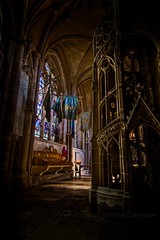
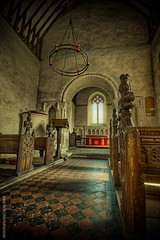
As many exposures as it needs, generally at least six if it's a csene worth HDR, could be as many as fourteen.. process in your HDR software of choice (I prefer FDRtools), export to Lightroom, tweak and job's a good 'un. Most HDR lacks shadow depth to my eyes, I generally put back some deep shadows to help define shape and dimensionality.

- Messages
- 1,675
- Name
- Chris
- Edit My Images
- No
I paid for LR/Enfuse last night (Free trial is 500px max on the long side, min donation is £2 + VAT) and have to say it's great so far. I have been using it to increase dynamic range, not create wild surreal images which are not my cup of tea.
It merges the images into an nice even image, though a touch flat. Once back in Lightroom I treat it like a normal image. The result is nice and natural looking, something I found impossible when I tried the Photoshop merge tool.
http://www.photographers-toolbox.com/products/lrenfuse.php
It merges the images into an nice even image, though a touch flat. Once back in Lightroom I treat it like a normal image. The result is nice and natural looking, something I found impossible when I tried the Photoshop merge tool.
http://www.photographers-toolbox.com/products/lrenfuse.php


- Messages
- 8,261
- Name
- Carl
- Edit My Images
- Yes
How come shutter speed would be the modification for different exposure, i would have thought it would be the ISO for different exposure levels - ive even tried the bracketing that is part of the 600d but i cant get any pics near as good as the one posted above.
Should I abandon the bracketing and do it at different shutter speeds and ISOs as a combination or simply stick to the bracketing but do every level that is available so all exposures are captured then HDR it in PS/PM ?
Should I abandon the bracketing and do it at different shutter speeds and ISOs as a combination or simply stick to the bracketing but do every level that is available so all exposures are captured then HDR it in PS/PM ?
- Messages
- 9,818
- Edit My Images
- No
How come shutter speed would be the modification for different exposure, i would have thought it would be the ISO for different exposure levels - ive even tried the bracketing that is part of the 600d but i cant get any pics near as good as the one posted above.
Should I abandon the bracketing and do it at different shutter speeds and ISOs as a combination or simply stick to the bracketing but do every level that is available so all exposures are captured then HDR it in PS/PM ?
Why ISO? changing shutter speed doesn't affect the ability of the sensor to record the scene, changing ISO does. Anything over base ISO for your camera and you're compromising your HDR from the start.
Think about what changing the ISO does..
simon ess
Just call me Roxanne.
- Messages
- 9,836
- Edit My Images
- No
Most HDR lacks shadow depth to my eyes, I generally put back some deep shadows to help define shape and dimensionality.
That is so true.
It reminds me that a couple of months ago, on a wet Sunday, I played with the idea of taking 1 or 2 more underexposed shots than overexposed. The results looked promising, but I've yet to try it seriously.
Aah - found it. A nothing shot of nothing but I think a slightly better balance.
I shall experiment further. Thanks for reminding me Alastair.

Armchair by simon ess, on Flickr