Lightroom Classic - What can I safely delete

Messages
2,122
Edit My Images
Yes
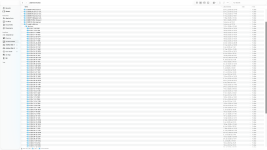
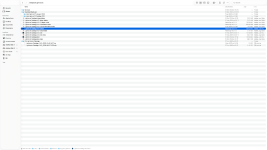
I'm running LR Classic v15.6 26.6.2 on a Mac. I need to free up some disk space and the LR files are clearly a big user. However I'm looking for some assistance please on what I can safely delete. My catalogue is backed up to a separate hard drive using Time Machine and the actual images are backed up to 2 HD's which I manually move images once I've finished processing. I've attached a couple of screenshots to hopefully provide sufficient information:

Can I remove anything marked v13 as opposed to v13.3 ? V13.3 appears to be the latest catalogue etc even though I'm running v15.6 so slightly confused about that

In the backup folder can I safely delete back ups leaving say the latest 3/4 dated in 2026

I also have some LR v5 files that I probably transferred when I changed systems living on the system. I presume these can go without any problems ?

Many thanks for any assistance
Screenshot 2026-10-23 at 11.22.24.pngScreenshot 2026-10-23 at 11.31.05.png
 
You can delete the 100gb previews file, but it'll slow things down as it rebuilds any newly required preview files.

Backups, you can probably trash anything older than the last half dozen. I really wish LR had a self purging option, because the number of times I have to clear out years of LR backups for customers, because it just constantly adds more, especially for those that do the right thing and regularly backup...
 
You can delete the 100gb previews file, but it'll slow things down as it rebuilds any newly required preview files.

Backups, you can probably trash anything older than the last half dozen. I really wish LR had a self purging option, because the number of times I have to clear out years of LR backups for customers, because it just constantly adds more, especially for those that do the right thing and regularly backup...
I agree with this. Why would anyone need more than the last two or three backups? Indeed, if you back up your computer regularly (e.g. weekly), why keep any more than the last one?
 
I think there is an option to limit the size of the previews cache to stop this happening in the future.
 
I agree with this. Why would anyone need more than the last two or three backups? Indeed, if you back up your computer regularly (e.g. weekly), why keep any more than the last one?
Well it depends sometimes it takes someone a while to realise they made a major boo-boo six months ago. My preference would be the last week daily, last month weekly, last 6 months monthly. Erring on the overkill side, but then I’ve onsite and offsite backups, and half my customer look at me like I’m nuts, till they find out first hand how much data recovery is, or have a total loss where an offsite backup would save them
 
Back
Top