- Messages
- 529
- Edit My Images
- Yes
Please excuse the title but wasn't sure what to put that didn't get me banned with immediate effect.
I have a bit of a problem and I need some help pretty dare smart before a certain printing company recieves the full roth my anger this afternoon.
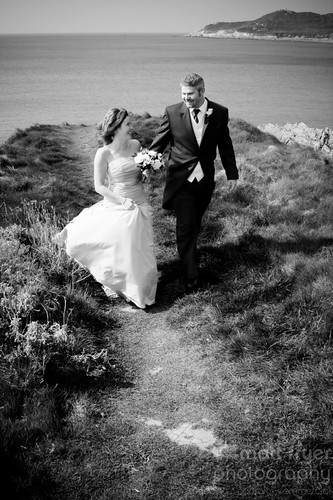
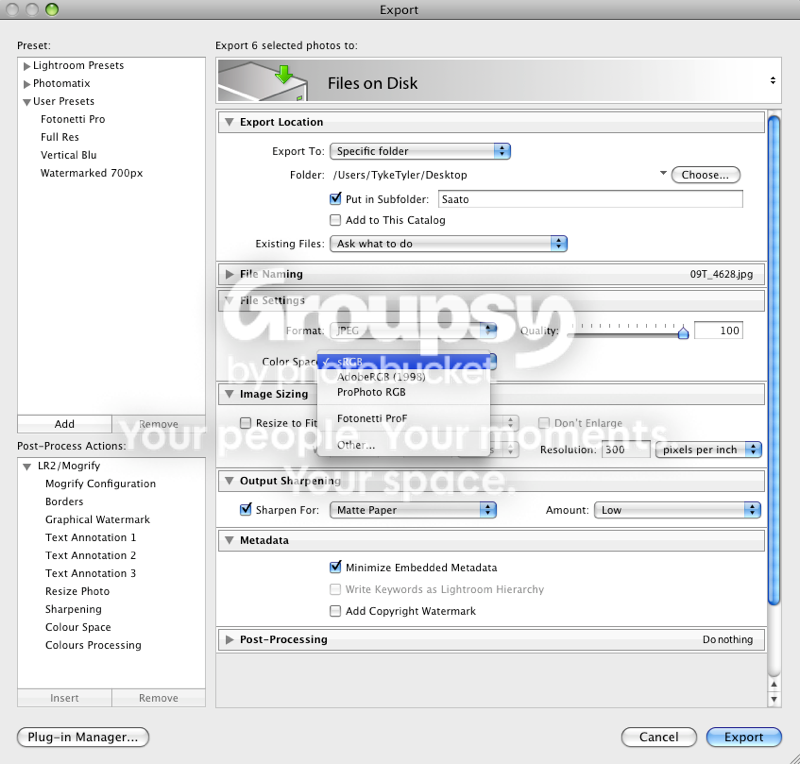
Ok, story so far. Have processed my images in lightroom 2.2 using a couple of presets I started using this year, images are exported in srgb colour profile as jpg's, they are then uploaded to printers system via fujicolour interface. On my screen this one image is black and white with no colour cast or split tone to it.
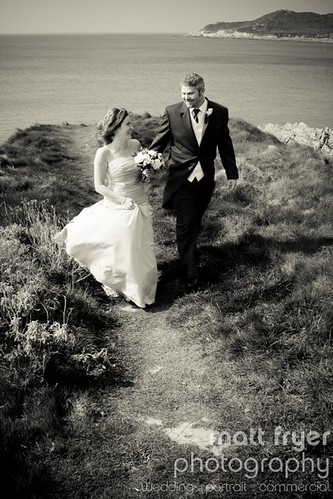
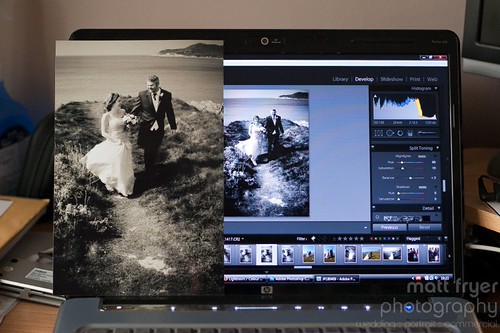
But when I have it returned to me it has a very horrid brown colour cast to it and certain other images from the same order are much darker then on my screen and are slightly dull and lack lustre.
Now I have been on the phone to them this afternoon, with what can only be described as a very rude assistant spouting all manner of facts and figures regarding the number of images they print on a daily basis and that it is not their system that is at fault but something I am doing my end, so I relate my workflow system to him and it turns out I didn't emmbed the colour profile into the image despite it showing as an sRGB image in CS3, so I re-edit the images in CS3 embeding the colour profile into it, once with sRGb and once with their own ICC profile for gloss paper. Thinking that would do the trick i recieved an email a while ago saying that nothing has changed the images are still showing a colour cast.
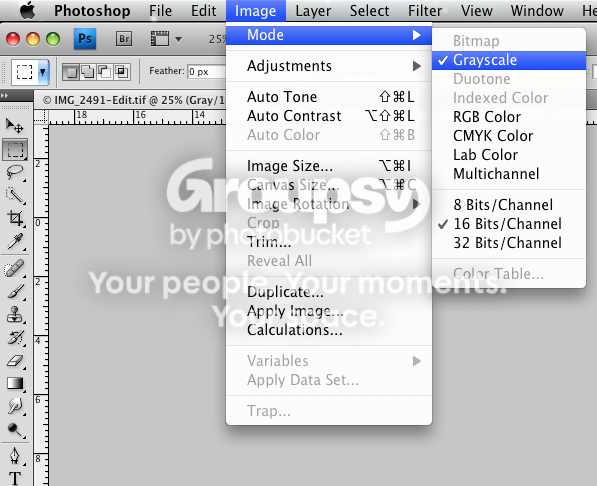
Once again we go through my workflow and he basically says that the only way to get the best from his printing system is to ditch lightroom and use the desturate feature in CS3! A slightly heated discussion then follows, words like tell that to Adobe etc etc are thrown around, by now I am getting very annoyed and recall another incident with this company where the same image printed 3 times in the same order has three different colour casts on it. I tell him this and he says that that is impossible. Once again another heated disussion follows and I now starting to lose the plot. Most of you don't need to know all this but a little history never helps.
So the point of my post is to find out if anyone else can see a weird browny / yellowee colour cast to the posted image. And also in the vain hope of someone offering a sensible solution to my problem. I now have a massive backorder of images that need to be printed asap but I reluctant to get them done if they are going to come back wrong. Oh I also looked their test image both a printed verison they sent and compared it to thier online version and they match! AGHHHHHHHHHHHHHHHHHHHHHHHHHHHHH :bang omeone please shed some light on this for me. please.
I have a bit of a problem and I need some help pretty dare smart before a certain printing company recieves the full roth my anger this afternoon.
Ok, story so far. Have processed my images in lightroom 2.2 using a couple of presets I started using this year, images are exported in srgb colour profile as jpg's, they are then uploaded to printers system via fujicolour interface. On my screen this one image is black and white with no colour cast or split tone to it.
But when I have it returned to me it has a very horrid brown colour cast to it and certain other images from the same order are much darker then on my screen and are slightly dull and lack lustre.
Now I have been on the phone to them this afternoon, with what can only be described as a very rude assistant spouting all manner of facts and figures regarding the number of images they print on a daily basis and that it is not their system that is at fault but something I am doing my end, so I relate my workflow system to him and it turns out I didn't emmbed the colour profile into the image despite it showing as an sRGB image in CS3, so I re-edit the images in CS3 embeding the colour profile into it, once with sRGb and once with their own ICC profile for gloss paper. Thinking that would do the trick i recieved an email a while ago saying that nothing has changed the images are still showing a colour cast.
Once again we go through my workflow and he basically says that the only way to get the best from his printing system is to ditch lightroom and use the desturate feature in CS3! A slightly heated discussion then follows, words like tell that to Adobe etc etc are thrown around, by now I am getting very annoyed and recall another incident with this company where the same image printed 3 times in the same order has three different colour casts on it. I tell him this and he says that that is impossible. Once again another heated disussion follows and I now starting to lose the plot. Most of you don't need to know all this but a little history never helps.
So the point of my post is to find out if anyone else can see a weird browny / yellowee colour cast to the posted image. And also in the vain hope of someone offering a sensible solution to my problem. I now have a massive backorder of images that need to be printed asap but I reluctant to get them done if they are going to come back wrong. Oh I also looked their test image both a printed verison they sent and compared it to thier online version and they match! AGHHHHHHHHHHHHHHHHHHHHHHHHHHHHH :bang
omeone please shed some light on this for me. please.