- Messages
- 512
- Edit My Images
- No
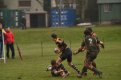
Took my new(to me) D4s out for a spin yesterday just shooting some sport in overcast/rainy conditions.
Obviously still getting to grips with it but I shot in auto white balance as I did with the old D3 and despite the extremely samey lighting over the period of about an hour some images were a lot warmer than others.
I know there is the easy answer of manually configuring the white balance/sorting it in post but am just wondering as to why the camera managed to interpret the light so differently in the occasional shot?
Anyone any ideas?
Obviously still getting to grips with it but I shot in auto white balance as I did with the old D3 and despite the extremely samey lighting over the period of about an hour some images were a lot warmer than others.
I know there is the easy answer of manually configuring the white balance/sorting it in post but am just wondering as to why the camera managed to interpret the light so differently in the occasional shot?
Anyone any ideas?