Over or Under Expose

Messages
3,315
Name
Russell
Edit My Images
Yes
Hi, Getting a bit confused:thinking:
I have read from many places on the net, articles concerning exposure when it comes to landscape/seascapes some say over expose by 1/2 to 1 stop others say under expose by 1/2 or 1 stop so you no what the question is going to be.
Are you in favour of under or over exposures or do you feel it is better just to do both and see what you get when you transfer to computer.
Thanks
Russ
 
I tend to take a shot using at least 2 different apertures. Yesterday it was pretty gloomy and I thought using f/5.6 is best, but I actually mush preferred most of the shots done at f/8. Also have the image display set to show histogram as this really does help.
 
I shoot raw and prefer to expose either "correctly" or brighter than "correctly", so long as I don't go too far with my overexposure and end up losing important highlight detail. This is known as "Expose To The Right" or ETTR technique. There is very rarely (practically never) a good reason to underexpose an image unless you are deliberatley wanting the image to look dark for artistic effect. Underexposing and brightening in post is bad. Shooting "correctly" is good. Exposing to the right (if you shoot raw) is excellent.

ETTR explained - http://www.luminous-landscape.com/tutorials/expose-right.shtml

In order to nail my ETTR exposures I spot meter off the brightest part of the scene for which I want to retain detail (not blow to featureless and unrecoverable white) and set a manual exposure to place the metered highlight area at +3. That might result in underexposure, it might result in overexposure, or it might result in a "correct" exposure. Usually it may make the image look a bit bright, but the technique captures as much image DATA as possible from which I can then work to produce an image that looks nice.

Here's an example of an ETTR capture. The histogram is all the way over to the right hand edge. There are some parts of the sky which are clipped, but those are easily recovereable in Lightroom and there is no detail there to care about in any case. The captured image may look bright, but I have lots of tonal detail even in the deepest shadows. I have all the data I could hope for from which to create my final image. All it needs is a bit of tweaking to get it to look how I want.

20110130_135720_000.jpg


This is not the kind of thing I would leave to autoexposure to get right. I want to be in control. The beauty is that it would not matter whether the aircraft was silver, white, black or any mixture of colours and tones. With this exposure setting I would have the maximum image data possible with which to work and by shooting manual the tone and size of my subject would not throw the exposure off.

Here's the image after adjustments....

20100626_135438_9539_LR.jpg


The problem with underexposing and then brightening images is that you may see increased noise and perhaps posterisation of tonal gradients. Correct exposures or ETTR exposures reduce or avoid such problems altogether.

 
Last edited:
Hi, Many thanks Tim, I have been told that some of my photos seem to have noise although I have been at ISO 100 99% of the time, but I have been under exposing by around 1/2 to 1 stop so maybe that is my problem.
Again many thanks for the information very helpful
Russ.
 
For landscapes are you using any NDG filters to darken the sky and allow you to brighten the exposure for the foreground within the camera? That should help. If not, and your sky is not nipping at the right hand edge of the histogram then definitely get your exposures raised until it does.

Here's a more "landscapey" example, taken with my 30D at 100 ISO. I purposely set the exposure to get just a little clipping in the sky. In truth I could have gone 1/3 stop brighter, but back then (over three years ago) I knew less about these things than I do now. Unortunately, to hold detail in the sky I ended up with the foreground underexposed. Had I raised the exposure as far as the foreground required then I would have had to wave goodbye to the sky.

20110130_162020_000.jpg


A little bit of jiggery pokery in Lightroom and I had a better balanced image....

20110130_162050_000.jpg


Even with the adjustments I do not think noise is an issue in darker areas when viewed at 100%....

20110130_162112_000.jpg


The 40D should have reasonable latitude to raise exposure a bit, so long as you are not using HTP, which at 100 ISO (impossible with HTP enabled) I guess you are not. :)
 
Last edited:
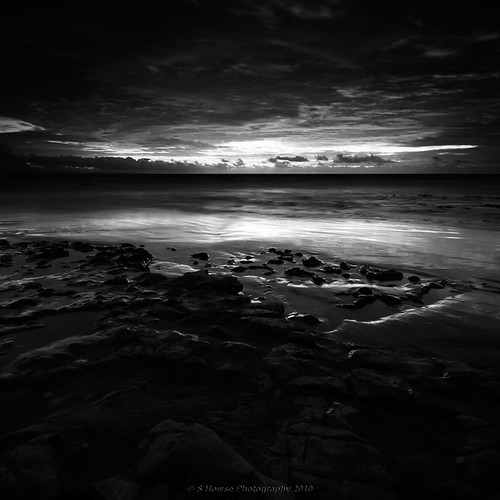
I would prefer under exposing to over exposing if the contrast is that great. Loss of detail in shadows I find preferable to blown highlights. I sometimes like my images that turn out underexposed, I think it can enhance 'mood'.

5060887600_0d712de16e.jpg
 
Last edited:
I would prefer under exposing to over exposing if the contrast is that great. Loss of detail in shadows I find preferable to blown highlights.

So don't blow the highlights. ETTR accurately. Then you should have the best result possible. A raw file can have a generous latitude to recover seemingly blown highlights, with the right software. Check out this recovery of an exposure that may have gone a little too far to the right....

From this....

20100730_101855_.JPG


to this....

20100730_102039_.JPG


resulting in this....

20100626_100151_8768_LR.jpg


I'd rather go that way than underexpose and brighten.
 
Hi Tim, In answer to the question do I use GND yes I do nearly all the time because the light here (Rhodes) seems to be very bright even on an overcast day so I am trying to deal with both the sky and the sea but will try the ETTR see how I get on.
Again thanks for the info.
Russ
 
Back
Top