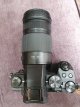
"Panasonic G series" Owners Thread

I don't know about the whole raw v jpeg and battery life issue but it must be a close run thing? Raws may be bigger but jpegs surely need a bit more processing and then saving? I've honestly never given it a thought before.

My Sony A7 seems to flatten the battery quicker than my GX9/GX80 so I usually take a spare but I never bother with my Panasonic cameras but I'm not a machine gunner. If I was or was taking a Panasonic camera on holiday I might take a spare or just stick to charging the battery every night.

I use raws in the hope and believe that the processing is more flexible for white balance, exposure, lifting or reducing this and that and the like.

To be honest I have never compared RAW vs JPG directly, only RAW vs RAW+JPG, so essentially with the latter, giving the camera 2 workloads and 2 writes. I guess it makes sense.
Quick additional question. On your Panasonics, do you ever use Electric Shutter? I'm not really seeing the use.
 
Clicks have got to be the only way to gauge battery life, but there are so many other variables ... how often do you turn camera on/off, "chimping", (yes I'm guilty of it). It's not only clicks that flatten your battery.
 
Lots of lens firmware updates have also been released, to make use of the new options available.

I saw one camera had of all things "Train" recognition, thought it was an April Fool type thing at first.
Getting a bit overblown now with face, eyes with a choice of one or two (handy when photographing Cyclops) body and even animal faces or was it faeces?
 
To be honest I have never compared RAW vs JPG directly, only RAW vs RAW+JPG, so essentially with the latter, giving the camera 2 workloads and 2 writes. I guess it makes sense.
Quick additional question. On your Panasonics, do you ever use Electric Shutter? I'm not really seeing the use.

Yes.

Firstly when using shutter speeds faster than 1/4,000 such as when using wide apertures in good light. The mechanical shutter is limited to 1/4,000 on my cameras so I set the camera to automatically select mechanical or electronic shutter and if faster than 1/4,000 is needed it automatically switches to the electronic shutter. The other time I use it is when I want to shoot silently but this can cause banding under flickering artificial lights.
 
Hmm.
Just did latest lens update on G80 with kit 12-60 to version 1.3.
Focus is noticeably snappier.
When using BBF though it now requires one push to "prime" and one to focus. I think I like it.
Anybody else found this?
( I'm assuming it's the update, never noticed it before)

Update. The faster focus is quite dramatic. Happy bunny.
 
Last edited:
Just a thought ...

I've got a GX80 with (not the normal) 12-60 kit lens.

Lenses aren't updated are they? (or is that a stupid question).
 
Yes.

Firstly when using shutter speeds faster than 1/4,000 such as when using wide apertures in good light. The mechanical shutter is limited to 1/4,000 on my cameras so I set the camera to automatically select mechanical or electronic shutter and if faster than 1/4,000 is needed it automatically switches to the electronic shutter. The other time I use it is when I want to shoot silently but this can cause banding under flickering artificial lights.
I've never used auto shutter mode, I think I'll try that. I tend to use electronic shutter, switching to manual when speed goes down to 1 sec or slower.
 
Just a thought ...

I've got a GX80 with (not the normal) 12-60 kit lens.

Lenses aren't updated are they? (or is that a stupid question).

I don't know about Panasonic but I'm sure some are.
 
I've never used auto shutter mode, I think I'll try that. I tend to use electronic shutter, switching to manual when speed goes down to 1 sec or slower.

The "only" issues with the electronic shutter, AFAIK, are the possibility of banding under some flickering artificial lights which does affect me now and again and can be picture ruining and rolling shutter effect which I can't say I've ever noticed. I think some people also claim some bokeh effects but I've never seen anything to convince me that it's a problem for me. I suppose one benefit apart from enabling faster than 1/4,000 shutter speeds is that the electronic shutter doesn't add to the wear and tear on the shutter mechanism. These days I just leave mine on auto unless I want to shoot silently.
 
Just a thought ...

I've got a GX80 with (not the normal) 12-60 kit lens.

Lenses aren't updated are they? (or is that a stupid question).

There are firmware updates for many Lumix lenses. The one for mine only came out in last couple of weeks. From ver. 1.2 to 1.3.
 
IIRC, another thing to consider with electronic shutter is that the raw files are 10 bit compared to 12 bit when using mechanical shutter. Saying that, I use electronic shutter when shooting time lapse to save on wear and not really noticed much of a difference.
 
IIRC, another thing to consider with electronic shutter is that the raw files are 10 bit compared to 12 bit when using mechanical shutter. Saying that, I use electronic shutter when shooting time lapse to save on wear and not really noticed much of a difference.

Apart from the banding issue I've never noticed any drawback to the electronic shutter. Rolling shutter doesn't seem to be an issue for me but I suppose that's down to what I/we take pictures of. On the bokeh thing, I've watched bloggers point to things but I've never spotted anything obvious in my own pictures.
 
Thanks Brian

So,
GX80 + 12-60mm F/3.5-5.6

Looked at my Version Disp. for the first time. Says
Body Ver 1.2
Lens Ver 1.1

That site says
DMC-GX80/GX85 Ver.1.3
H-FS12060 Ver.1.3
if I'm reading it correctly. (H-FS12060 is the 12-60 kit lens?)

So what next? Format card in same body, download to pc, load on card, put card back in camera ....

I've got another 5 lenses to check/update.
 
Last edited:
Thanks Brian

So,
GX80 + 12-60mm F/3.5-5.6

Looked at my Version Disp. for the first time. Says
Body Ver 1.2
Lens Ver 1.1

That site says
DMC-GX80/GX85 Ver.1.3
H-FS12060 Ver.1.3
if I'm reading it correctly. (H-FS12060 is the 12-60 kit lens?)

So what next? Format card in same body, download to pc, load on card, put card back in camera ....

I've got another 5 lenses to check/update.

Yep the 12060 is the kit lens.
With card in camera switch on and go into pic review, it will ask if you want to update. Select yes and wait. It will only do it with fully charged battery though.

I would do body first, then lens as a seperate update.
 
Last edited:
Hi Cockney/anyone

So I've got two zipped files in PC > Downloads .... I guess I need to extract/unzip them???

When I click on the card (This PC > Lumix G), I get

DCIM
MISC
PRIVATE

shall I drop the files (Camera first, or can they go on the card together?) in one of the above?

? .... TIA
 
Last edited:
Hi Cockney/anyone

So I've got two zipped files in PC > Downloads .... I guess I need to extract/unzip them???

When I click on the card (This PC > Lumix G), I get

DCIM
MISC
PRIVATE

shall I drop the files (Camera first, or can they go on the card together?) in one of the above?

? .... TIA

Just unzip the file for body, when it prompts for location send it to the card. Not in any folders, it has to be the root.
Do the update as previously mentioned.
Then I would reformat the card then repeat the process for the lens.

Its worth the bother,mine snaps to focus practically instantaneously now.
 
Last edited:
Hi Cockney/anyone

So I've got two zipped files in PC > Downloads .... I guess I need to extract/unzip them???

When I click on the card (This PC > Lumix G), I get

DCIM
MISC
PRIVATE

shall I drop the files (Camera first, or can they go on the card together?) in one of the above?

? .... TIA
The instructions are on the web site from which you downloaded the files and they specifically say to only put one file at a time on the card.
 
The instructions are on the web site from which you downloaded the files and they specifically say to only put one file at a time on the card.
Thank you

Just unzip the file for body, when it prompts for location send it to the card. Not in any folders, it has to be the root.
Do the update as previously mentioned.
Then I would reformat the card then repeat the process for the lens.

Its worth the bother,mine snaps to focus practically instantaneously now.
and thank you @Cockney very much. All done :cool:

I'm not sure I notice any improvement, the kit was super fast to focus before, that's using AFS, maybe I'll see a difference in other modes.

Other lenses I have, namely the 45mm macro and the 100-300mm will hopefully show some improvement.
 
Thank you


and thank you @Cockney very much. All done :cool:

I'm not sure I notice any improvement, the kit was super fast to focus before, that's using AFS, maybe I'll see a difference in other modes.

Other lenses I have, namely the 45mm macro and the 100-300mm will hopefully show some improvement.

Great stuff. Glad to be of help.
 
If you don't mind buying an imported lens, they are available here for the same price.

Thanks very much for this. Ordered and delivered in a week.
20210614_175703.jpg
 
Oh well done!

I must get mine out again, haven't seen it all year. A fine lens, just don't stretch it. :cool:

Only taken a few test shots to check all working ok, and upgrade firmware.
I will post some shots when I've used it in anger.
 
20210621164902.jpg
Poor light, dull day and handheld with new 100/300 - g80. I think it coped really well.
Just taken on a Grasmere walk with Mrs Cockney.
 
Last edited:
Poor light, dull day and handheld with new 100/300 - g80


Brian .... just copy&pasted it into Paint.Net, gave it a little sharpen, nothing more, looks much better, sharp in the right places.
 
Last edited:
Thanks David. I've not had time for any pp. It's actually much sharper than it posts. I will post some more as flickr links when I can.
 
Brian .... just copy&pasted it into Paint.Net, gave it a little sharpen, nothing more, looks much better, sharp in the right places.

Just ran it through lighroom mobile and reposted it. It's sharp as a tack on my tablet, don't know why thats not reflected here. :thinking:
 
The last couple of weeks I seem to have stumbled upon a bag of kit that seems to suit me... My Billingham Hadley Pro Small containing my Sony A7 with Voigtlander 35mm f1.4 and my GX80 with 45-150mm.

Anyway. A walk in the park got me these.

Mr and Mrs Duck, relaxing.

6KChAuH.jpg


Snack Time.

xi1X1Uz.jpg


A slightly alien looking flower with spikey bits.

KIwUNZZ.jpg


I've never really tried to photograph these before but loitering beside the water and trying not to fall in I had a go. 150mm wasn't nearly enough so this is a hefty crop. Also, they're fast and only settled for a moment and I couldn't get a picture with the wings open.

zIHh3Wb.jpg


I don't know if it's my eyes, but these don't look as sharp here as on my screen.
 
Last edited:
Just out of interest... another thread asks what ISO people will use. I'll use any and often find that the only truly bad results are under artificial lighting.

These GX80 pictures have only been lightly processed in Adobe CS5 and doubtless people with better software and better skill could do better.

This first one is at a reasonable ISO 4,000 which my old 5D couldn't reach.

YNBZY4e.jpg


This next one is at ISO 20,000. There is noise and it wont win any prizes but it is ok for me as a whole picture and would I guess make a reasonably sized print, A4 maybe?

r3bzXDS.jpg
 
Last edited:
The last couple of weeks I seem to have stumbled upon a bag of kit that seems to suit me... My Billingham Hadley Pro Small containing my Sony A7 with Voigtlander 35mm f1.4 and my GX80 with 45-150mm.

Anyway. A walk in the park got me these.

Mr and Mrs Duck, relaxing.

6KChAuH.jpg


Snack Time.

xi1X1Uz.jpg


A slightly alien looking flower with spikey bits.

KIwUNZZ.jpg


I've never really tried to photograph these before but loitering beside the water and trying not to fall in I had a go. 150mm wasn't nearly enough so this is s hefty crop. Also, they're fast and only settled for a moment and I couldn't get a picture with the wings open.

zIHh3Wb.jpg


I don't know if it's my eyes, but these don't look as sharp here as on my screen.
The lack of sharpness is what I was getting. Looked fine on my tablet. Loaded to flickr and posted link and bingo. ?????
 
Back
Top