Black spots on Scans

Messages
3,306
Name
Wayne
Edit My Images
No
Almost unbelievable but true, last night I was congratulating myself on the detail in my recent photographs and starting to think that I was really getting somewhere !

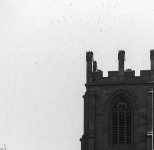
I thought I saw a flock of birds around a clocktower when to my absolute horror they, at first sight, appeared to be another kind of fault in my pathetic process.


Clock tower
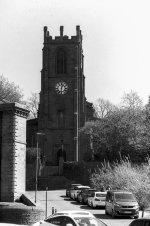
Darwen Market.jpg


Detail of chimneys at top right of clocktower
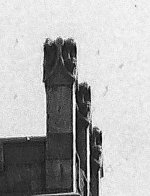

Clock tower detail.jpg


Black marks


Clock tower black marks.jpg
 
Well that needs sorting out, have you enlarged previous negs to see if there is a pattern for how you develope? Hmm I haven't dev negs for about 20 years and hope I don't have any problems restarting using B/W and home dev for my night shots.
 
Well that needs sorting out, have you enlarged previous negs to see if there is a pattern for how you develope? Hmm I haven't dev negs for about 20 years and hope I don't have any problems restarting using B/W and home dev for my night shots.
Its the first time I have noticed them Brian, its all going wrong at once, one thing after a flipping other.

I am going the get the looupe out at the weekend (bank holiday) and have a couple of happy hours checking over some of my negs in detail.
 
Well Wayne I sure an expert will probably have an answer as I haven't a clue to what went wrong..all I know is to be consistent when dev negs h'mm well that is if you get it right in the first place ;)
 
Dust would seem to be the most likely problem.

Just came across this guide to "things that can go wrong with scanned film"

 
Taking this example with your last one, my guess without seeing the negatives is that you're collecting dust and dirt on an industrial scale while your film is drying. My suggestion if you can't clean things up is this

 
Last edited:
Possibly contamination on the film, maybe from degraded light seal foam or some sort of particulates in the developer? If they're dark on the scan then they will be light / transparent on the actual negative.
Agreed, black spots on the positive image is going to be dust or fibres on the film when exposed or physical damage to the emulsion, I really don't think it is a film drying problem unlike the white spots earlier.
 
I think I have figure out what's going on.

A couple of months ago I changed my film drying routine.

Initially through my over enthusiasm I used to watch for the film drying and as soon as the film looked dry, to me, it was off the hooks and into the scanner. I scratched a couple of negs as the emulsion was probably still soft. So I made a conscious decision to attempt to try and hold back and leave the films overnight which I have been doing. This is where the marks seem to have appeared at roughly the same time, and no wonder with the bathroom door slamming open and shut dozens of times a day.

I am still going to build a drying box, but how long roughly before the emulsion is hard enough to ensure safe handling.

Thanks all for you considerable patience and advice and making me think along the right lines !
 
I think I have figure out what's going on.

A couple of months ago I changed my film drying routine.

Initially through my over enthusiasm I used to watch for the film drying and as soon as the film looked dry, to me, it was off the hooks and into the scanner. I scratched a couple of negs as the emulsion was probably still soft. So I made a conscious decision to attempt to try and hold back and leave the films overnight which I have been doing. This is where the marks seem to have appeared at roughly the same time, and no wonder with the bathroom door slamming open and shut dozens of times a day.

Anything getting on the negs while they're drying won't give you black spots on the scans though. It'll show as white spots, marks, and tiny hairs because the scanner will record them as opaque areas which will become white when inverted.

Something getting on the emulsion in the camera will give black spots as it'll block the light from hitting the negative, effectively causing a shadow during exposure. On the scans it will show up dark in the same way as any other shadows in the scene.
 
I think I have figure out what's going on.

A couple of months ago I changed my film drying routine.

Initially through my over enthusiasm I used to watch for the film drying and as soon as the film looked dry, to me, it was off the hooks and into the scanner. I scratched a couple of negs as the emulsion was probably still soft. So I made a conscious decision to attempt to try and hold back and leave the films overnight which I have been doing. This is where the marks seem to have appeared at roughly the same time, and no wonder with the bathroom door slamming open and shut dozens of times a day.

I am still going to build a drying box, but how long roughly before the emulsion is hard enough to ensure safe handling.

Thanks all for you considerable patience and advice and making me think along the right lines !
...but Wayne, as you know, an enlarged neg shouldn't look like the one you posted of the tower and that has to be sorted out.
 
...but Wayne, as you know, an enlarged neg shouldn't look like the one you posted of the tower and that has to be sorted out.

That's the first time I have seen that in my first few dozen rolls of film, I will sort out the dust issue first as that is causing the most consternation.
I have put in a roll of FP4 and will try to blast that off today.
 
how long roughly before the emulsion is hard enough to ensure safe handling?
I hang my negatives in the shower cabinet, usually for aroubd 3 hours, and that seems to be fine. Much less than that and sleeving becomes difficult, ie they are still damp. I can't leave them up for much longer as Mrs R will go in for her evening shower; she has threatened to drop them on the floor if they're still there! (I neither believe nor disbelieve this threat...)
 
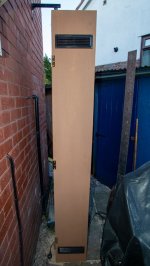
Got my wood today (ooh er mrs)
Decide on a 300x200 cabinet approx 2m tall
Should be able to get 8x10 in there eventually

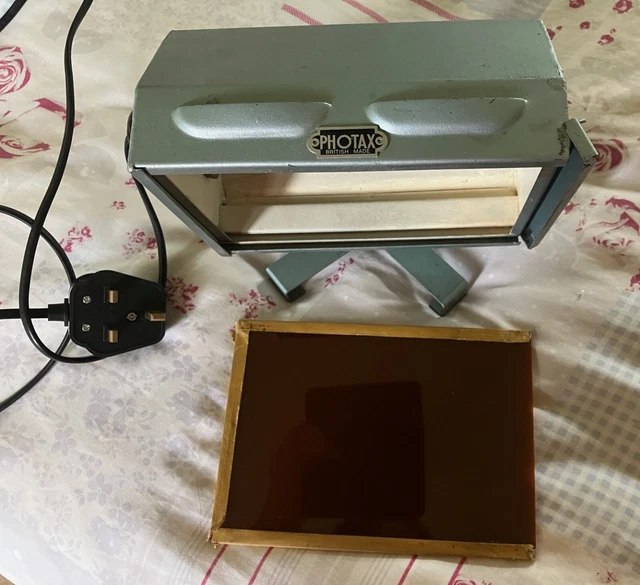
For heating was thinking of a 40 0r 60w light bulb.

Any better suggestions ?
 
A bloke I knew ( John @thedarkshed) used, IIRC, a computer fan and air filter to move the air....
 
Last edited:
A bloke I knew ( John @thedarksheed) used, IIRC, a computer fan and air filter to move the air....

Is creating circulation enough Chris or do I need some heat as well ?
 
Circulating CLEAN air should be enough. Warmth (rather than heat) can help speed the drying up.
 
Back
Top