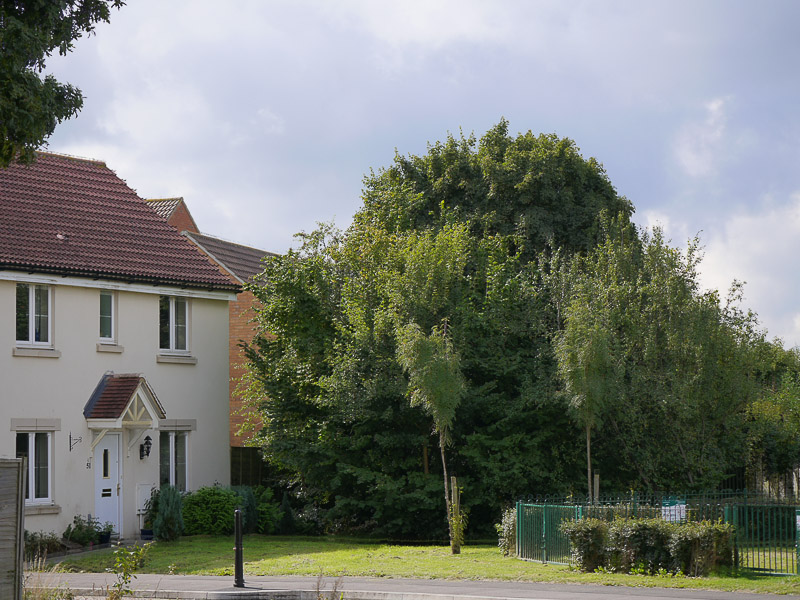
RAW vs. JPEG - Regarding image quality there is no debate!

That's quite an extreme example. A better comparison would be by using a correctly exposed JPG.


Steve.
 
This thread needs examples of photo's with the two different processing options, JPEG from camera and JPEG from a raw file to see if any one can tell the difference and which one looks better.

That's quite an extreme example. A better comparison would be by using a correctly exposed JPG.


Steve.
What's wrong with post 54 in this thread?

If you demand an example which shows a perfectly exposed JPEG which has all the detail you'd want and doesn't need post processing to alter the way the tones/colours are mapped, then you have just posted a biased comparison ;)

Raw gives you much more where there are extremes of dynamics, where you want a different balance/type of noise reduction at high ISOs, or simply where you want to alter the "look" of the image by doing extreme processing (e.g. HDR style processing).

The holy grail of "doing it all in camera as that shows your an artist" means you are constrained by the processing that the camera gives you ;)
 
What's wrong with post 54 in this thread?

If you demand an example which shows a perfectly exposed JPEG which has all the detail you'd want and doesn't need post processing to alter the way the tones/colours are mapped, then you have just posted a biased comparison ;)

Raw gives you much more where there are extremes of dynamics, where you want a different balance/type of noise reduction at high ISOs, or simply where you want to alter the "look" of the image by doing extreme processing (e.g. HDR style processing).

The holy grail of "doing it all in camera as that shows your an artist" means you are constrained by the processing that the camera gives you ;)

No no, I'm not talking about badly exposed examples, where you go in and drop or up the shadows and such, I am talking about a perfectly well exposed image to begin with.

This thread is about the quality of the two, not how much PP you can do to get a shot back.

Show me 2 images (the same image), 1 JPEG out of camera and one raw converted to JPEG for viewing and let us judge which is best or at least explain what is making the converted raw file a better quality of the 2, but I don't want to see examples of bringing up shadows, pointless as we know raw is good for that, but the OP said raw is better than straight from camera JPEG, I would just like to see the proof from him now after such a bold statement I think it deserves him backing it up with proof.
 
Last edited:
lighten up fella :)

you cant edit a raw file.. it will always be a raw file.. so the truth is a jpg will always look better than a raw file... i can keep saying it and you can keep seeing somehtign else :)

a tiff file that started life as a raw file..edited then converted will look better than a jpg ..yes :)

Mostly you never see an unedited raw file. The thumbnail is an embedded jpg with all the corrections, and when you open a raw file in the processor most of them will apply the (jpeg) camera settings in the raw preview.
However things can almost always be improved for the developed output.

I have started processing my fuji X20 raws in silkypix as it seems to do a better job with them than ACR. If I simply develop them as a jpg, they are Identical to a jpg out of the camera. so I no longer save raw+jpg. I just use raw.

It seems Adobe still has not quite got the hang of the Fuji sensor arrangement yet.
 
Last edited:
You will find that LR is a far more user friendly flow. It does do things differently to DPP though.

I did compare DPP & LR a couple of years ago. You can see the results here: http://photo.andysheen.co.uk/technical/lightroom-raw-vs-dpp-raw-processing/
Thank you for that. Very interesting. So, from what I can gather, LR has a similar set of presets to DPP which gives a good starting point. Is that the same with sharpness and contrast as well?

I think that after learning DPP and knowing how good raw is to work with, I am just that little bit fearful that I will lose everything I think I know if I jump in with LR.
 
A Jpeg is a raw file that has been processed and compressed in camera. It only uses data that is in the raw file. A jpeg can not be better than a correctly processed raw file.....

However there is one exception that I know of ... the Fuji X10... I have found it impossible to match the processed jpg out of the camera, nor do I know anyone who has. None of the Raw processing programs I have tried including silkypix and ACR have not got anywhere near.
 
Last edited:
No no, I'm not talking about badly exposed examples, where you go in and drop or up the shadows and such, I am talking about a perfectly well exposed image to begin with.
My point is, you don't need to have badly exposed examples, just ones with high dynamic range. The example I posted - if exposed correctly for the room - would have blown the wall outside. Your "well exposed" example shot just means a "bright JPEG with limited dynamic range". As I said, just a skewed example.
 
My point is, you don't need to have badly exposed examples, just ones with high dynamic range. The example I posted - if exposed correctly for the room - would have blown the wall outside. Your "well exposed" example shot just means a "bright JPEG with limited dynamic range". As I said, just a skewed example.

Ok, yeah a skewed example if you say so, those on post 54 are awful examples if you ask me, I prefer the SOOC JPEG.
 
Last edited:
This thread needs examples of photo's with the two different processing options, JPEG from camera and JPEG from a raw file to see if any one can tell the difference and which one looks better.

If all is ok maybe the JPEG will be just fine but the test comes when the shot may need adjustment so the real test would be to have a problem RAW+JPEG and see which is best after processing.
 
....and somewhere on planet earth today, a photographer was actually taking photographs instead of talking about taking them ;)
 
If all is ok maybe the JPEG will be just fine but the test comes when the shot may need adjustment so the real test would be to have a problem RAW+JPEG and see which is best after processing.

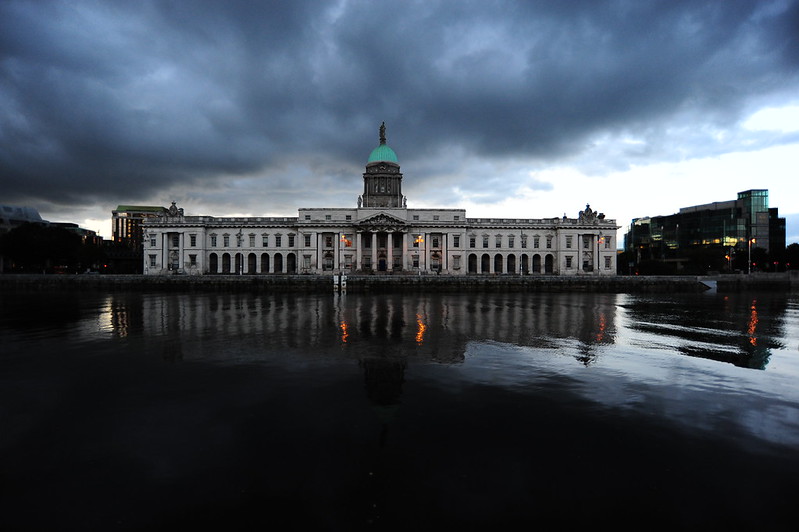
But I don't think that's what this thread is about, I don't want to see shots that benefit from adjustment, that's easy.

I want to see shots at the same exposure but much better looking because it has been processed from the raw file by the user instead of the camera, well that's how I read the OP
 
Last edited:
While I also shoot RAW and admit there are indisputable advantages of RAW processing workflow (such as exposure compensation in post, shadow/highlight recovery or white balance), there are a few interesting facts.

Several people in this discussion (and many others elsewhere) claim that no matter what they do they are unable to recreate look of film simulations in Fuji digital cameras. Fuji's Astia, Velvia and Provia used to be very popular brands in film days and they somehow managed to recreate that look in digital era by providing tailored custom tone curves. It is not without surprise that there are very advanced settings in Fuji cameras for tweaking JPEG output. Such as separate settings for highlight and shadow tones and detailed customisation of WB shift and dynamic range expansion. Clearly Fuji have spent a lot of effort on making their in-camera conversion state of art and people love their JPEG output.

It might sound trivial as this is all about moving sliders in ACR in the right way, but in reality it might be quite difficult to get the output right. You can spent hours in Lighroom, there are endless options how to deform the curve. There is no single right solution and often consistency is what matters most. Some people don't even hesitate to spent money for presets for Lightroom/Aperture. For the same reason the settings applied in camera tend to be preferred by many over default ACR presets. They look good and they are consistent.

Let's take Nikon's custom picture controls for D2x cameras as example. Many people still consider D2x as the best default colours in digital era. Just as Fuji presets, it is quite difficult to simulate Dx1 (general purpose) Dx2 (portrait) and Dx3 (landscape) look in Lightroom. If you do nature photography, do the exposure and WB right, apply Nikon D2x mode3 with minimal sharpening and you can be sure that you have perfect data for processing and there will be no difference between that and whatever you create in Lightroom from RAW data in 30 minutes.
 
I think as cameras progress the gap between what they can spit out in JPEG and a processed RAW will get smaller and smaller. Camera CPUs are getting more powerful and manufacturers are learning how to get the most out of them so they are coming on leaps and bounds.

Personally I shoot RAW as it allows me the better margin to screw up if I'm shooting in a hurry and I think I've learnt more processing RAW than I would have done simply copying the JPEG off the card.
 
But I don't think that's what this thread is about, I don't want to see shots that benefit from adjustment, that's easy.

I want to see shots at the same exposure but much better looking because it has been processed from the raw file by the user instead of the camera, well that's how I read the OP
I'm lost with what you want here. You specifically exclude shots that will benefit from adjustment, and then want to see shots that are adjusted to be better than the OOC JPEG.

That's what some would call having your cake and eating it... ;)
 
I was shooting in RAW+small fine jpeg and these are what I got:
To save the JPEG crowd having to say it.... The original image is way under exposed and you didn't use the right camera JPEG preset ;) :cuckoo:
 
Several people in this discussion (and many others elsewhere) claim that no matter what they do they are unable to recreate look of film simulations in Fuji digital cameras. Fuji's Astia, Velvia and Provia used to be very popular brands in film days and they somehow managed to recreate that look in digital era by providing tailored custom tone curves.
My guess is that the way to do this in LR is to generate a custom camera profile to replicate the way the colours are processed.

I'm not claiming I am able to do it, just that it is the place in LR that is the most difficult to master (how many people have built custom camera profiles and just leave ACR to the default "Adobe Standard")?
 
I'm lost with what you want here. You specifically exclude shots that will benefit from adjustment, and then want to see shots that are adjusted to be better than the OOC JPEG.

That's what some would call having your cake and eating it... ;)

How are you lost?

I mean from this underlined quote from page 1

Do people actually read threads before they post? I am not debating the convenience of JPEG, or how pretty it looks on a monitor.

If people don't know how to process RAW images or don't want to do so, or don't have the time to do so, or don't have the inclination to do so then don't use them. Simple as that. I am not advocating people should or shouldn't use them. There is no right or wrong in choosing to use JPEG or RAW as it is up to each individual's wants.

However let me repeat again. The quality of a JPEG image CANNOT be better than a properly processed RAW file. Period. If you somehow think it can be you are mistaken.
If comparing a processed RAW and a JPEG and the JPEG is better, you need to go back and process the RAW properly. And then maybe save it as a TIFF file.

It is like saying that an MP3 file is as good as the original WAV file. If you don't understand that analogy you have no right to post any responses (except funny ones).

Perhaps I have been pixel peeping too long, but in some of the stuff I do pixel peeping is extremely important.

I would now like to see the proof if you see what I mean, I want to see the quality difference, not shadow and highlight difference.
 
These guys look quite serious and claim they can do that:

http://vsco.co/film

But I have no experiences with that (and they are quite expensive for being just a preset).

Various freely available presets I found on the internet doesn't work. None of them gives me the output like the film or in-camera film simulations.

I found Adobe Standard ACR preset very ugly for many scenes.
 
That's quite an extreme example. A better comparison would be by using a correctly exposed JPG.

So, you would prefer an equally extreme example, just at the other extreme.

At one extreme is the unique case of a jpeg produced when all of the in-camera settings are perfectly correct for the desired image. Such an example can prove one of my two propositions - that it is always possible to process a raw file to exactly duplicate the jpeg that the camera would have produced.

At the other extreme is the case where the in-camera settings are far from optimal. Such an example proves the other of my two propositions - that, when the in-camera settings are not absolutely optimal, it is always possible to process a raw file to produce an image that is superior to the jpeg the camera would have produced.

In between the two extremes are a range of examples where the in-camera settings aren't quite 100% perfect. When they are close to optimal then the raw file can still be processed to produce an image superior to the in-camera jpeg, but the difference may be so minor as to be all but imperceptible.

But that doesn't change the fact that the raw data can always produce the superior image, except for the unique case of the in-camera settings being 100% perfect. And it still doesnt change the fact that my posted examples are proof of this.
 
However let me repeat again. The quality of a JPEG image CANNOT be better than a properly processed RAW file. Period. If you somehow think it can be you are mistaken.

I mean from this underlined quote from page 1

I would now like to see the proof if you see what I mean

In the Canon world (and I believe the same applies to Nikon) such proof is easy peasy.

Shoot raw+jpeg. Load the raw file into Canons DPP software, with the default settings. Extract a jpeg usi g those defaults. The resulting jepg will be identical to the jpeg produced by the camera. As the in-camera jpeg is identical to the processes raw file it cannot be better.

QEW
 
How are you lost?
I'm lost because you want a perfect example of a JPEG that matches your criteria (not too high a DR, perfectly exposed) to be compared with a well processed RAW. And your measure of "great image" is when it looks like the in camera JPEG...

TBH, in that particular case, there will probably be little in it and you will claim the moral high ground and say the OOC JPEG is better (BTW, I DON'T think the OOC JPEG is better in post 54 - and that's even without properly processing the raw). It's essentially a futile experiment.

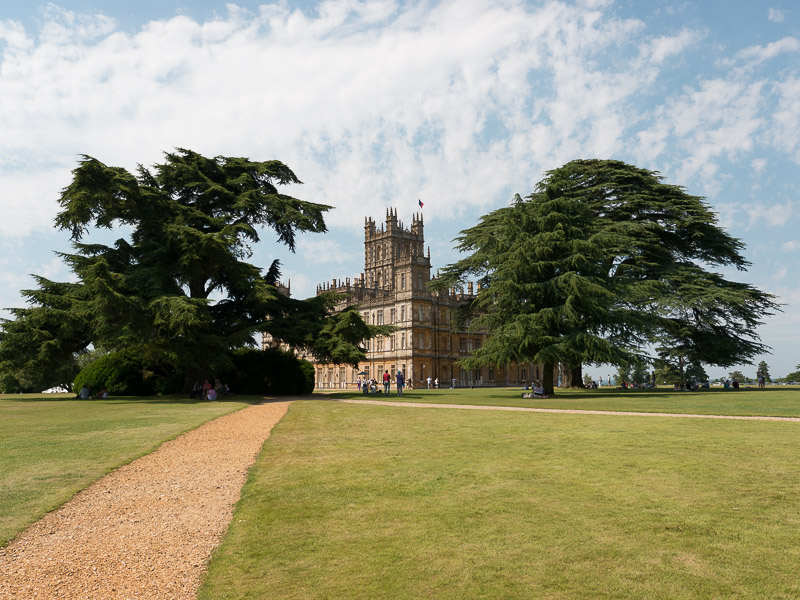
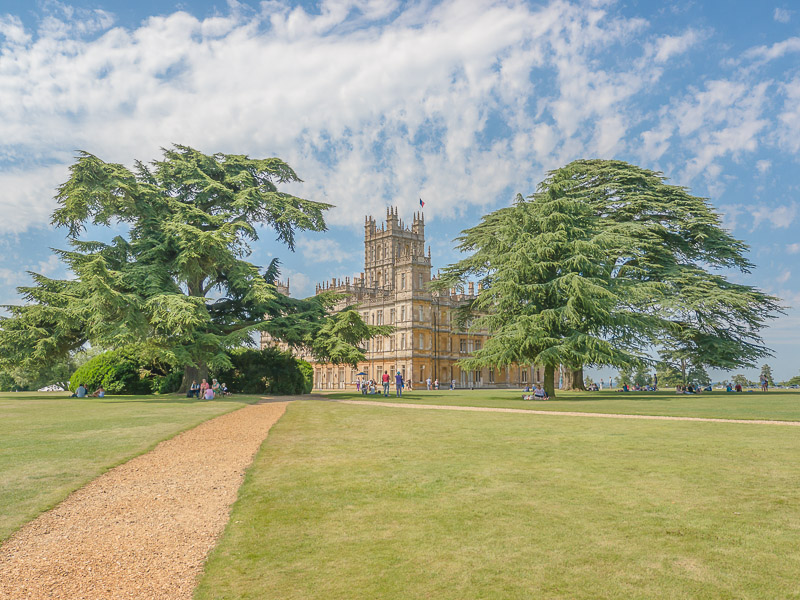
Here's another example (which you may not like, but that is not the point - I prefer the processed image):

Original raw exported as JPEG (had I taken a JPEG, it would have been pretty similar):
highclere-raw-800.jpg


Processed:
highclere-proc-800.jpg


If I had had JPEG only, I would not have been able to create the final image, and I didn't know I wanted it to turn out like that until I got back to the computer.
 
Last edited:
Here's another example (which you may not like, but that is not the point - I prefer the processed image):.

Again, you are demonstrating advantages of extensive post-processing vs doing no or sloppy post-processing.

You could also achieve that by using in-camera HDR mode or take three or more bracketed exposures to get similar (or even better) output and still use JPEG for that. This is how people normally shoot these kind of pictures.
 
Again, you are demonstrating advantages of extensive post-processing vs doing no or sloppy post-processing.
Ha! A slight rotate, 13 sliders moved in LR and a different camera profile applied and that's extensive post processing!

You could also achieve that by using in-camera HDR mode or take three or more bracketed exposures to get similar (or even better) output and still use JPEG for that. This is how people normally shoot these kind of pictures.
I disagree. In camera HDR with that kind of look (much reduced contrast and some colours pushed) would require a preset - which you would have to have known how to setup in advance. The image has been purposely processed away from HDR "look" (and has much more of a "Ladybird book illustration" feel to it - which you can't see on a compressed 800 pixel wide image ;))
 
I'm lost because you want a perfect example of a JPEG that matches your criteria (not too high a DR, perfectly exposed) to be compared with a well processed RAW. And your measure of "great image" is when it looks like the in camera JPEG...

TBH, in that particular case, there will probably be little in it and you will claim the moral high ground and say the OOC JPEG is better (BTW, I DON'T think the OOC JPEG is better in post 54 - and that's even without properly processing the raw). It's essentially a futile experiment.

Here's another example (which you may not like, but that is not the point - I prefer the processed image):

<snip>

If I had had JPEG only, I would not have been able to create the final image, and I didn't know I wanted it to turn out like that until I got back to the computer.

I preferred your earlier example showing the same image taken with the ooc jpeg, the raw file and then the jpeg file edited with the same settings.

It shows that raw is 'better' than jpeg, simply because it also shows the processed jpeg for a proper comparison. Otherwise it's the post processing skill of the person that's being compared with the camer'a jpeg engine as much as it's a comparison of the ooc jpeg and the raw file.

I used to shoot jpeg but as memory cards got bigger and cheaper I started to shoot raw. Now I always use raw unless I really need the 'extra' buffer capacity gained by shooting jpeg only. When I shot jpeg I almost always edited the photo's I liked, similarly to what I do now. The only change to my workflow now is that the raw file gets some settings applied in camera raw 8.1 as it's opened in photoshop instead of opening straight in.
 
Last edited:
Well here's an example of an OOC JPEG before and after processing:

Before

10670a.jpg


After

10670b.jpg


Admittedly this was a dull day (800 ISO) but it does at least show the ability of JPEGs to be processed to give good results.

Note:

A lot of quality has been lost due to having scale the pics down to under 200Kb fit the forum but at least it gives an idea of what can be done.

.
 
If your going to process then why shoot jpeg?

An edited raw is better that an in camera jpeg. FACT. If your happy with jpeg from your camera then fine. But accept you wont have the ability to change WB or recover highlights/lighter shadows as you can from raw.
 
I can't believe how long these discussions go on for. It seems simple. Shooting just jpeg or just raw are different. If you know how they differ you can form an opinion as how to what will work for you. The important bit is the understanding to make your own informed decision. Why people care so much what others do is beyond me. There is no right or wrong.
 
Well here's an example of an OOC JPEG before and after processing:
No one is saying you can't edit a JPEG. You are just much more constrained as to what you can do.

Even on a 12-bit raw file, you are at 1/4096th the fidelity once you go to an 8 bit JPEG. You have thrown that much data away and can't get it back. It is particularly noticeable in the dark areas (where there are less grey values allocated) and in highlights where the curve applied tends to lift highlight areas close to peak value.


Before
...
After
...
Admittedly this was a dull day (800 ISO) but it does at least show the ability of JPEGs to be processed to give good results.
This is a classic example of where you could have done much better with a raw file IMHO. The grey sky in the top left is blotchy in the processed image and I'm convinced you could get more detail out of the darker parts of the jacket and darker areas of the horse.
 
This is a classic example of where you could have done much better with a raw file IMHO. The grey sky in the top left is blotchy in the processed image and I'm convinced you could get more detail out of the darker parts of the jacket and darker areas of the horse.

In the original pic there is more detail which was lost in downsizing it for the forum and I'm also quite sure I COULD have got a great more detail out of it, but since I have over 2000 images to process from my last 2 trips to Ireland I am more than happy with it.

.
 
If your going to process then why shoot jpeg?

An edited raw is better that an in camera jpeg. FACT. If your happy with jpeg from your camera then fine. But accept you wont have the ability to change WB or recover highlights/lighter shadows as you can from raw.

I don't normally need to recover highlights as I make sure they don't burn out by using the histogram and "blinkies"

And I can also lighten shadows quite easily.

But for me the main reason I use JPEG is that the filesize is much smaller than using RAW so I can save them in a much smaller space and upload them to Skydrive much more quickly and use less of my monthly broadband allowance (15GB/month).

.
 
I can't believe how long these discussions go on for. It seems simple. Shooting just jpeg or just raw are different. If you know how they differ you can form an opinion as how to what will work for you. The important bit is the understanding to make your own informed decision. Why people care so much what others do is beyond me. There is no right or wrong.

Well there are many people on this site (and new ones joining daily) who may have the same questions about RAW and JPEGs so a discussion on the merits (or otherwise) of both may help them.

And, I believe, it can also help those of us who may already have decided upon one or the other by presenting new evidence about those merits - for instance one poster on here mentioned how the Canon MkIII and the 1DX were almost as good as RAW in the OOC JPEGs they produced - a fact which I did not know.

Similarly I had never read about the Fuji cameras settings for JPEGs or Nikons - more facts I found extremely interesting.

Sometimes the spin-offs are as important as the answers to the original OP's questions (or assertions).

.
 
No one is saying you can't edit a JPEG. You are just much more constrained as to what you can do.
Even on a 12-bit raw file, you are at 1/4096th the fidelity once you go to an 8 bit JPEG. You have thrown that much data away and can't get it back. It is particularly noticeable in the dark areas (where there are less grey values allocated) and in highlights where the curve applied tends to lift highlight areas close to peak value.
.

You are over and over arguing with superiority of RAW in post-processing. There is no question about it. You can indeed get more data from RAW for shadow recovery than from JPEG. But don't ignore the fact that the camera is also processing RAWs. It can even do very advanced processing if you ask it to do so. That's the purpose of these Nikon's Picture Controls. Nothing prevents you from mildly underexposing and lifting the shadow data by custom curve similar to the one you applied in Lightroom in the camera. The camera has the very same RAW data as you have when creating JPEG. You can have more control over the process in Lightroom, but the output could look the same.

Even for high DR situation. Think about which of the following option is likely give you the best data for preserving highlights/shadow details:

1. three bracketed JPEG exposures 1-1/2EV between each other and mild processing in HDR Efex
2. well exposed JPEG with hard grad filter
3. single shot RAW and heavy pushing shadows/highlights in post-processing

Surprisingly, JPEG is likely to beat the RAW in this case. I wanted to show that RAW and JPEG workflows are different. They both work well when you use them right and understand their limitations.
 
No one is saying you can't edit a JPEG. You are just much more constrained as to what you can do.

Not explicitly, however when the 'proof' of how a raw file is superior to a jpeg has been shown with the comparison of an ooc jpeg and a processed to a person's preferences raw file it's not comparing like for like. Of course the raw file will commonly be better than the ooc jpeg in that case. It's only when both are processed with the same care that it's a fair comparison, and there's been very little mention of that.
 
1. three bracketed JPEG exposures 1-1/2EV between each other and mild processing in HDR Efex
2. well exposed JPEG with hard grad filter
3. single shot RAW and heavy pushing shadows/highlights in post-processing

Surprisingly, JPEG is likely to beat the RAW in this case. I wanted to show that RAW and JPEG workflows are different. They both work well when you use them right and understand their limitations.
I disagree TBH. And 2 will only work on a landscape shot over the sea (or fairly flat horizon).

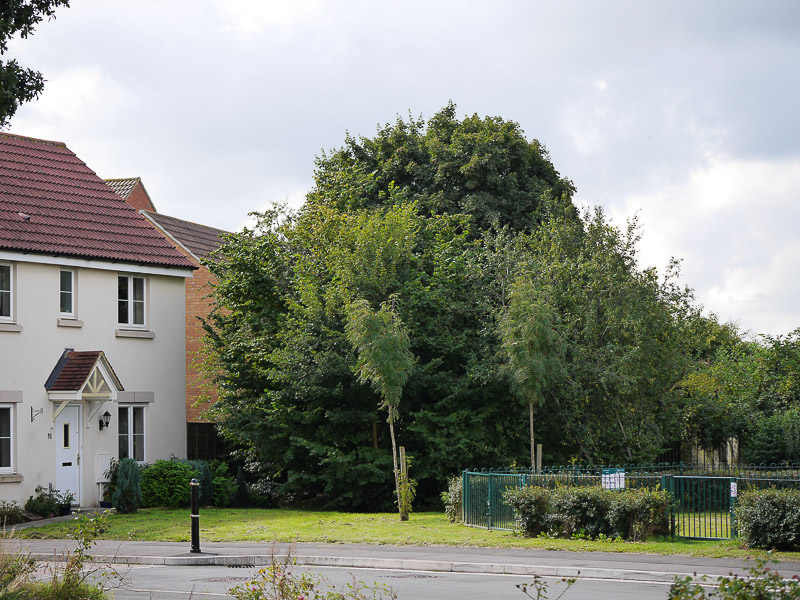
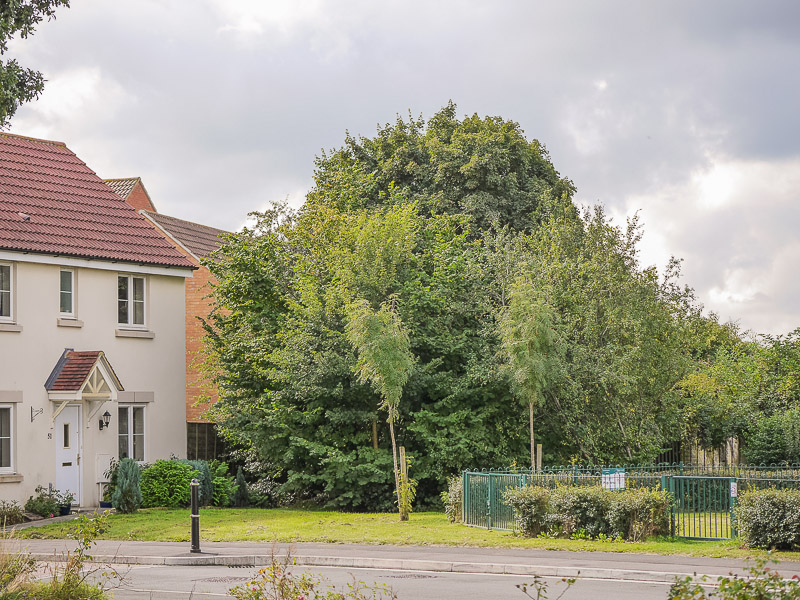
Like Peter, I find these threads interesting as it pushes me to challenge my own thinking and understanding. So:

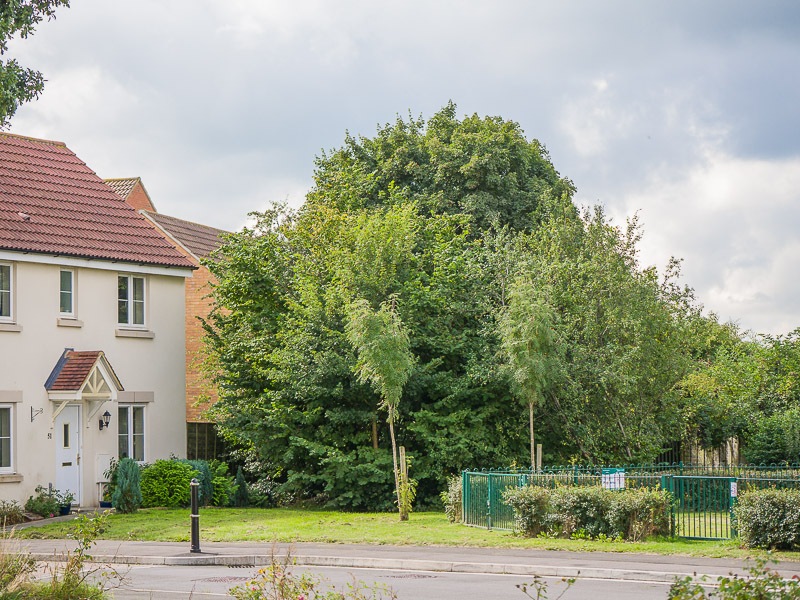
SOOC JPEG

scenery-jpg-800.jpg


Processed JPEG

scenery-jpg-proc-800.jpg


Processed raw:

raw-800.jpg


A FYI, in-camera processed HDR (+/- 3EV) (taken 30 seconds previously). Obviously a tripod would be needed (which I don't normally carry) plus the resultant image still requires manipulation.

PM-3EV-800.jpg
 
What you can't see at those resolutions is the loss of colour range - particularly in the sky - and the slightly yellowy colour the trees are in the processed JPEG
 
Back
Top