OP

- Messages
- 5,207
- Name
- bill
- Edit My Images
- Yes
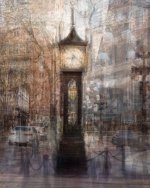
Thanks Bebop!Wow! I love the colours and the creativity

Thanks Bebop!Wow! I love the colours and the creativity
Thanks David.Works for me. Well done.


Thank you Pete.That’s really nice Bill. The processing gives it a kind of Victorian feel even with the modern cars in the shot.
Interesting to read about the clock too.
Thanks John, I had to research what you meant by a Constable painting, I appreciate the sentiment.I like what you have done with the pics, gave me the impression of a Constable painting
Thanks Duncan, yes you are right. The technique involves walking around the subject and taking pictures from all angles. That's the easy part.Really like the image Bill, so instead of rotating the clock I assume you rotated yourself around the clock.
It's sort of vaguely Steam-Punk

Thank you Simon.Nice one Bill. Certainly unusual, but works well.
Thanks Alan!Nice one.
Thank you Bebop, Pep Ventosa is his name.I'm really enjoying these images in this style. I can't remember the artists name now - but I did go and read the link you posted. I love the colours too.
Thanks Simon.Really like your pic Bill. Lots of detail but somehow not detracting from the main image...very clever
Thanks Tim, basically what I did was:I love the effect.
How was it achieved? Is @Chevin correct?
Thank you Helen!That's a different take on the theme. I love it..
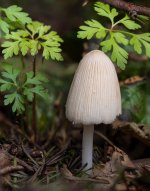
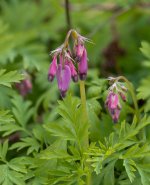
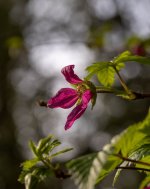
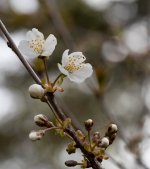
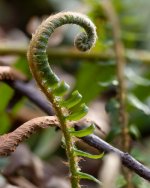
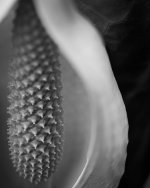
Thanks Simon, mushrooms and the ferns early or really late in the season are my "go to" nature shots.All cracking shots Bill. I like the mushroom - so delicate, and I also have a soft spot for the fern shot - when they're like this they look almost animate.
Thanks Dave.A fine set of pix!
Thank you Dave.Great set of images, any of them are bang on.
Thanks Peter, I was happy to find this little guy at this time of year. Most of the ones I like to shoot come out in the fall.Interesting set. Mushroom is the one that stands out. Well spotted.
Thanks Tim, I was happy with how that one turned out, kind of framed by the light behind it.Nice selection, I may have gone with #3, purely because of the complimentary colours (there is less going on in the image, but colour!).

 examining its many facets.
Thanks Donal.A lovely set. The mushroom and fern are both superb. I cannot really choose between them. The mono very nice too.
Thanks Pete, I do like mushroom shotsGreat series of pics Bill. The mushroom one just edges it for me with the fern close behind.
Thanks NickThe mushroom is really nice, but I also love the classic still-life tones in #3, and that mono at the end is lovely too.
Thanks Simon, it was probably only about 3 centimeters tallGreat collection of pictures there, the mushroom one is a good choice, a miniature world.
Thanks HelenAll great shots but the detail and texture on the mushroom gives it the edge for me.
It was a toss-up for me Duncan, and I always like shooting ferns at this time of year.Great set of images Bill, I do like the mushroom image but I must admit I prefer the fern image
Thank you Stuart, I appreciate your comments.Discarded - All interesting images, I also enjoyed the accompanying narrative. Many times I've had great ideas that by the Wednesday I haven't put into practice and I'm struggling to get something suitable. Time keeping is not one of my stronger qualities so many ideas never end up as more than that.
Flora - I like all the layers the "Pep Ventosa" style has created which give it a 3D look. I personally think the red section is fighting for my attention and would like to see it with a darker base to focus my attention on the flowers. I have tried this style on the "The Major Oak" in Sherwood Forest with interesting results.
Unusual - Lots of interest in the image while maintaining the central clock, a great image to invest time
Snappers Choice - A great selection of images, each with their own merits. I do like the mushroom with the shape and form of the mono image my other favourite.
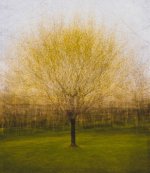
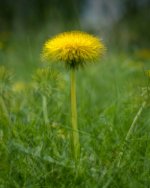
Now I do like this tree shot, bottom part is very abstract sort imo. Great colours and I just love it maybe print it up for the wall.
Love your tree pic - could definitely see that on a wall.
I absolutely agree with the "wall" comments. That is really special!
I have to agree with all the above comments Bill. That is one special shot. The light is lovely and that line of trees or hedge line below the subject tree makes it really stand out.
Great creativity and a great result. Impressive image Bill.